Audiobook Checker
A free check for audiobook narrators: will these chapters pass ACX's audio requirements?
- macOS
- Windows
- App
- VST3
- AU
- AAX
What it does
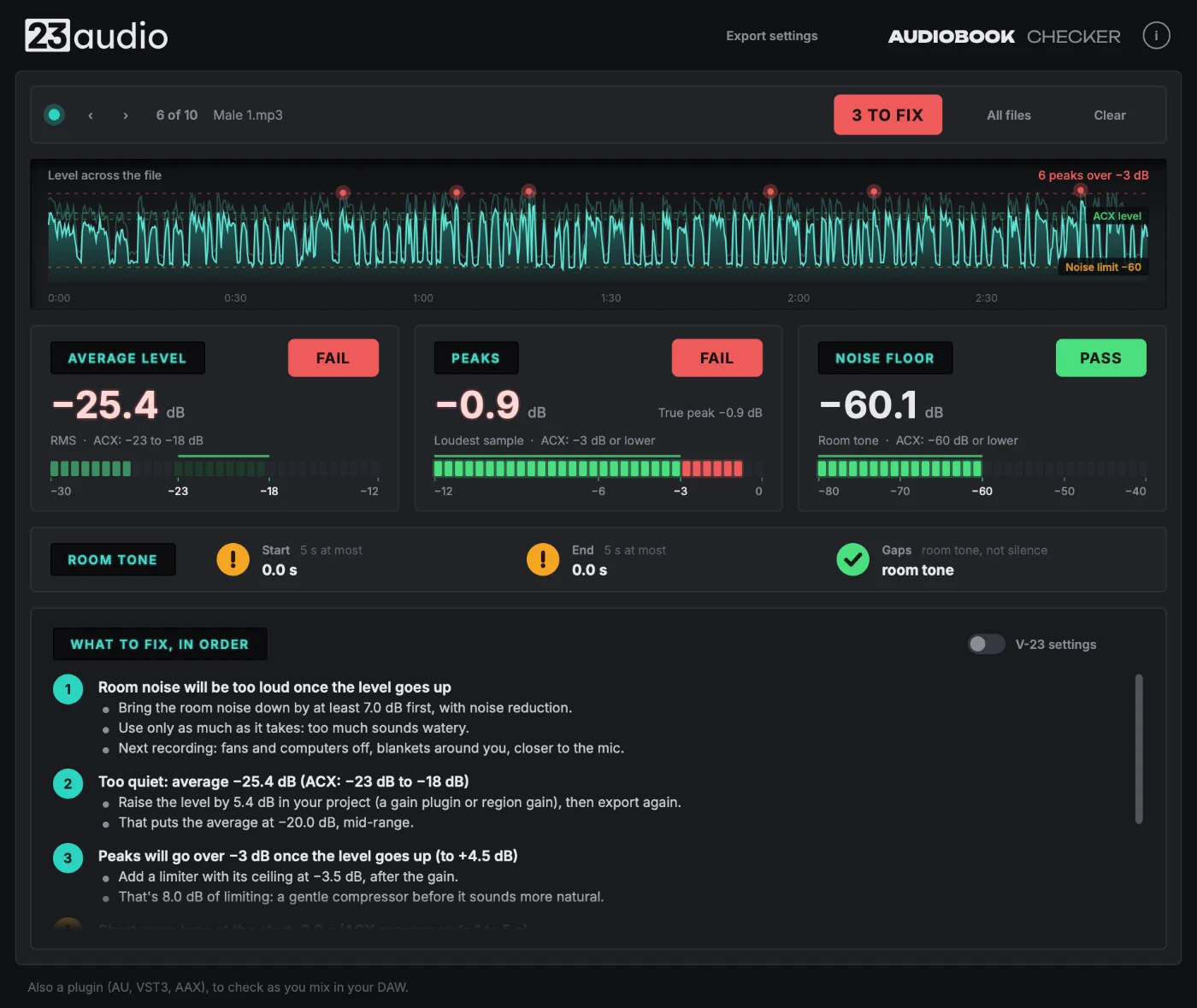
Audiobook Checker is a free app for audiobook narrators. Drag in your finished chapters, one or the whole book, and it measures each one the way ACX does: the average level (RMS), the loudest peaks, and the noise floor in the gaps between your words. It also reads the file itself: MP3 bit rate, constant or variable, and sample rate. Each gets a clear pass or fail against ACX's audio requirements.
When something fails, it tells you exactly what to change, by how much and in what order: raise the level by 3.2 dB, then hold the peaks under -3.5 dB with a limiter, say. It's also a plugin (AU, VST3, AAX) to check as you mix. It never changes your sound. Free, from the makers of V-23 Voice Processor.
Key features
Drop in a whole book
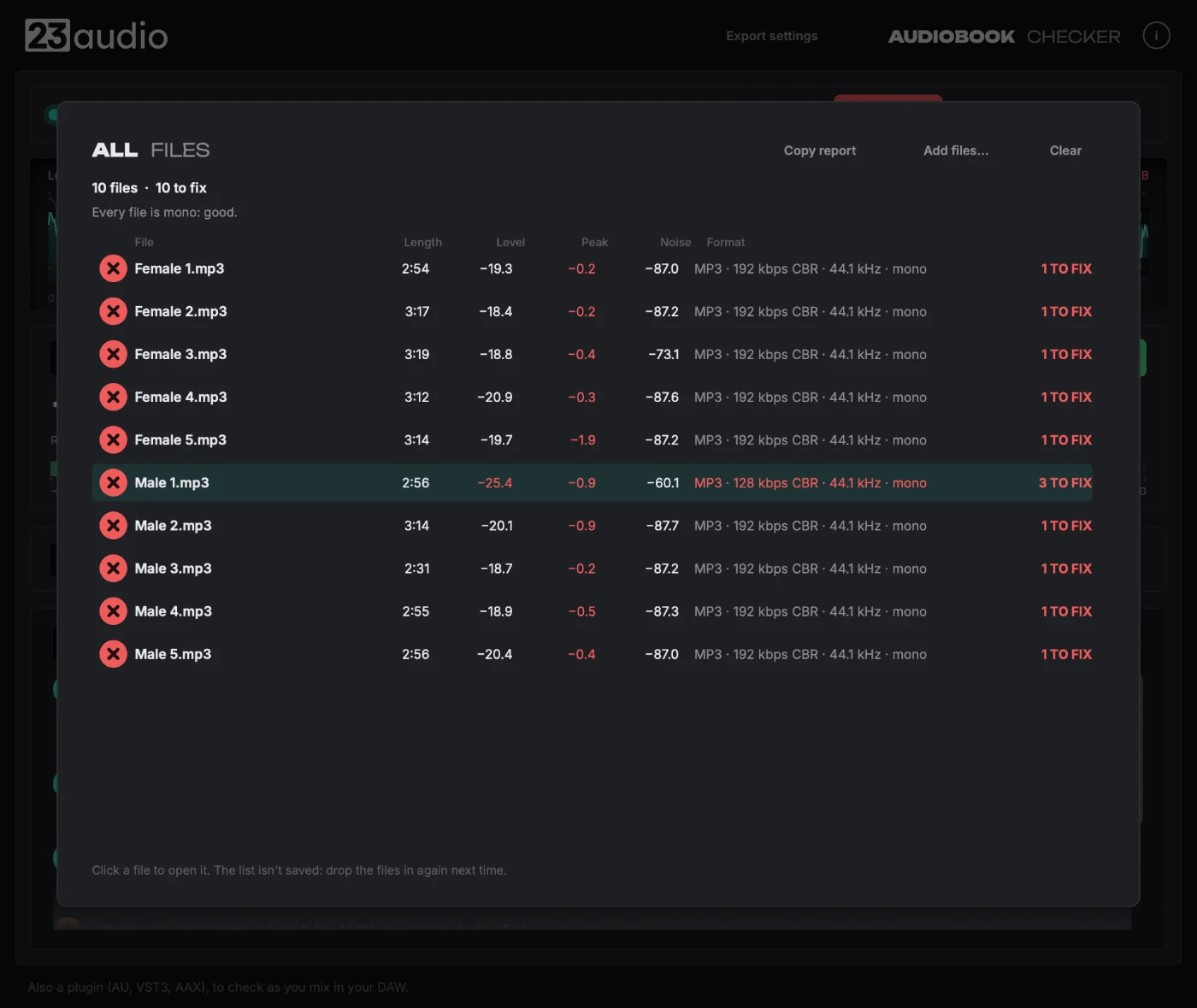
Drag in your WAV or MP3 chapters (one, several, or the whole book's folder) and each is checked in the background. Step through them, or see them all in one list with a tick or a cross each, plus whether every file matches (all mono or all stereo, one sample rate).
The three ACX numbers
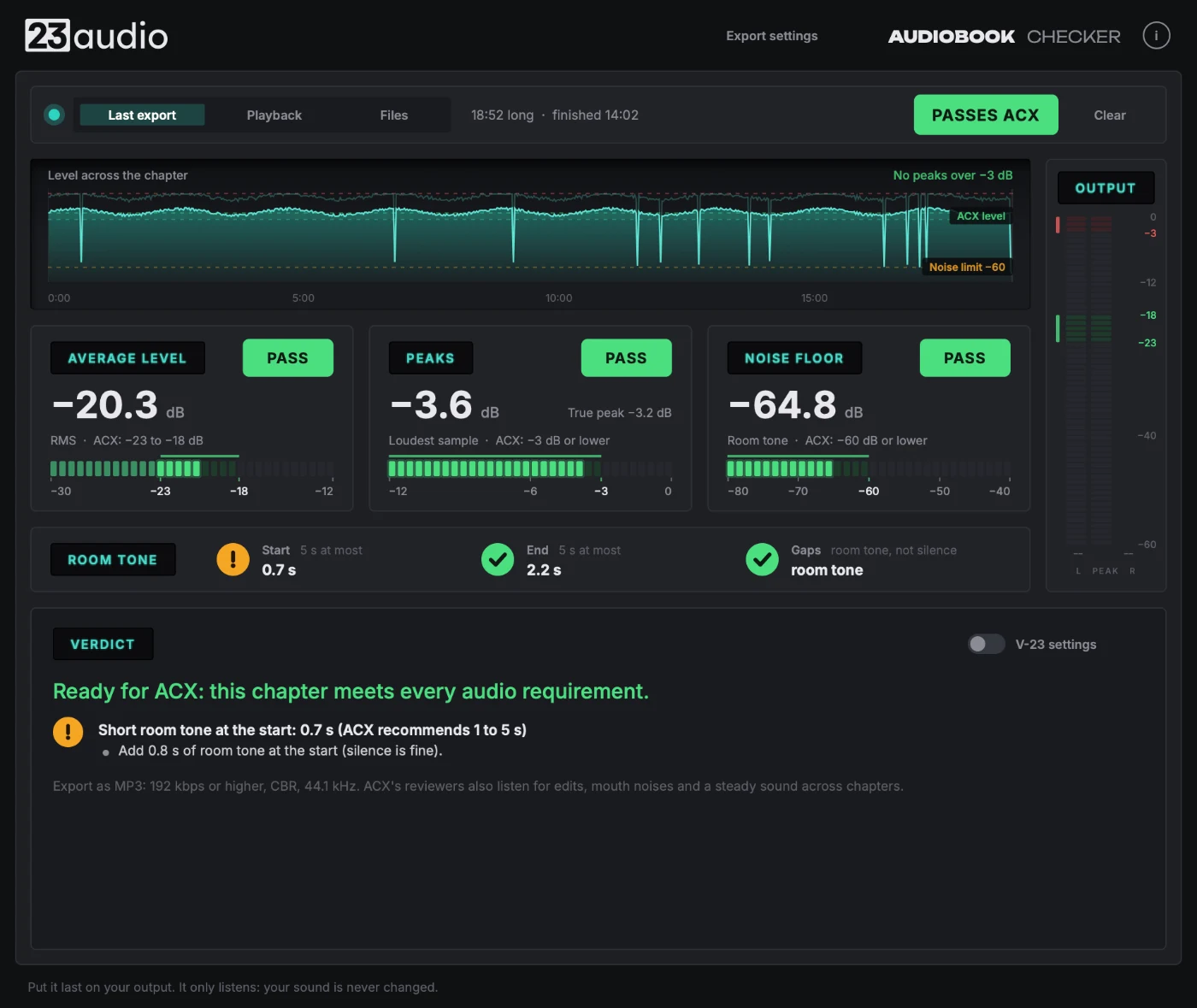
Average level, peak level and noise floor, measured the way ACX measures them.
Exactly what to fix
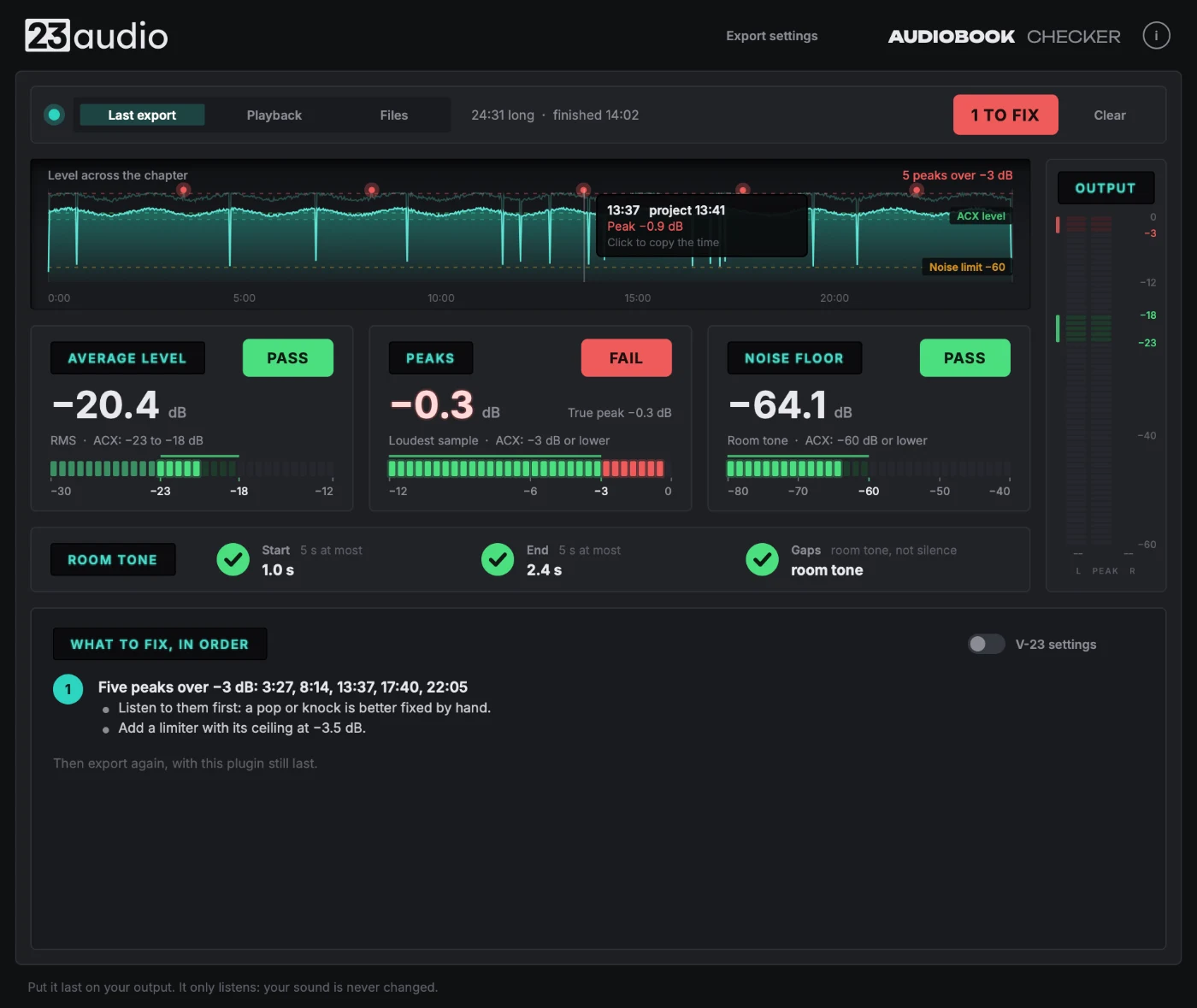
Not just red or green: how many dB to raise or lower, where to set a limiter, and when the noise in your room is the problem.
Room tone check
Measures the noise in the gaps between your words, where a noisy room gives itself away, and checks the room tone ACX asks for at the start and end of each chapter. It also spots gaps a noise gate has turned to dead silence.
ACX's file rules, built in
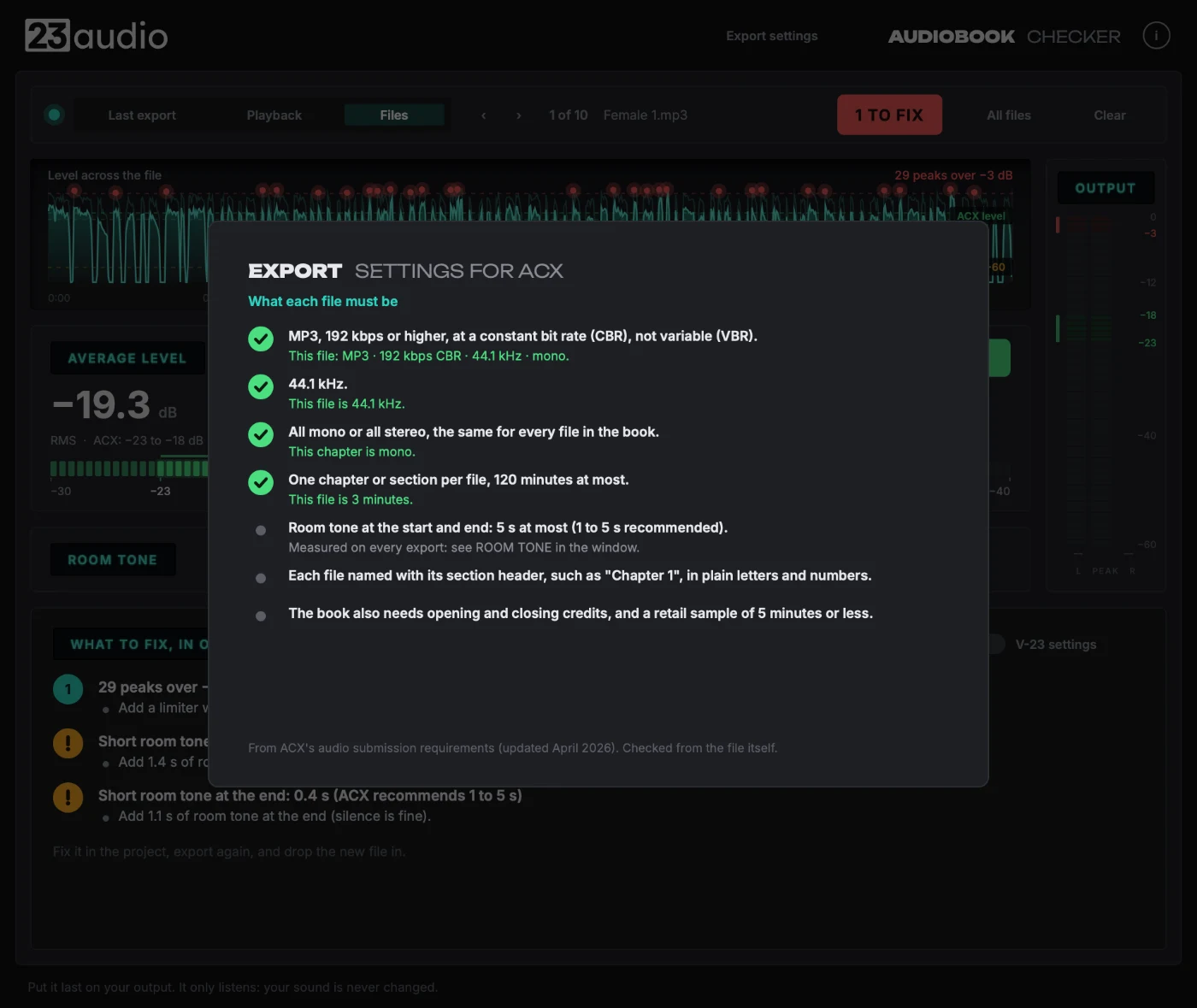
MP3 at 192 kbps or higher, constant bit rate, 44.1 kHz, all mono or all stereo: the export settings ACX asks for are one click away. Drop your finished MP3s in and it checks them against those rules.
Also a plugin, for checking as you mix
Put it last on your DAW's output and bounce or export a chapter (offline is fine): it measures the whole thing as it renders. Works in any DAW that runs VST3, AU or AAX plugins.
Never touches the sound
It only measures. As a plugin it's safe to leave on while you record and edit.
Free
No licence, no demo and no time limit.
Details
Minimum system requirements
- macOS
- macOS 11 Big Sur or later. Runs natively on Apple Silicon (M1 and later) and Intel Macs
- Windows
- Windows 10 or 11, 64-bit
- Formats
- AU and VST3 on Mac; VST3 on Windows; AAX for Pro Tools on both
- Host
- A 64-bit DAW that loads AU, VST3 or AAX plugins
- Processor
- Any Apple Silicon Mac, or an Intel Core i5 / AMD Ryzen 5 or better
- Memory
- 4 GB RAM (8 GB recommended)
- Disk space
- 100 MB
- Screen
- 1280 × 800 or larger
Installation & activation
Run the installer for your Mac or PC, open the plugin in your DAW and paste in your licence code. Full step-by-step instructions come with the release. Questions in the meantime? Email support.
Reviews
No reviews yet. Own Audiobook Checker? Be the first to review it.
Write a review
Need help?
Stuck installing, activating or using Audiobook Checker? Email and we'll sort it out.
Frequently asked questions
Do I need a DAW?
No. Audiobook Checker is an app: export your chapters from whatever you edit in (Audacity, GarageBand, Reaper, anything) and drag the files onto its window. The plugin version is there if you'd rather check inside your DAW as you mix.
Which DAWs does the plugin work in?
Any DAW that runs VST3, AU or AAX plugins, on Mac and Windows: Logic Pro, Pro Tools, Reaper, Studio One, Cubase, Ableton Live and others. The rule is the same in all of them: put it last on the output, after everything else, and bounce.
With the plugin, how do I check a chapter, or just part of one?
Bounce it, offline is fine. To check part of a chapter, set your DAW's range (loop, cycle or time selection) over that section and bounce just that. Logic Pro: File > Bounce > Project or Section. Pro Tools: File > Bounce Mix, with Offline ticked. Reaper: File > Render, bounds set to the time selection. Studio One: Song > Export Mixdown. Cubase: File > Export > Audio Mixdown. Ableton Live: File > Export Audio/Video.
Can it check a selection without bouncing?
Not inside your project: a plugin only hears what your DAW plays or bounces through it, so it can't read a region by itself. Bouncing just the section you want is the quickest true check, and pressing play works for a quick look. Finished files are different: drag WAV or MP3 files onto the window and it checks them straight from disk, no playing needed.
What DAWs are supported?
Any DAW that loads VST3, AU (Mac) or AAX (Pro Tools) plugins. A list of DAWs we've tested in will go up before launch.
Does it work on Windows?
Yes: Windows 10 or 11, 64-bit, as VST3 and AAX (Pro Tools). Each plugin page lists its minimum system requirements.
Does it work on macOS?
Yes: macOS 11 Big Sur or later, running natively on Apple Silicon and Intel Macs, as AU, VST3 and AAX (Pro Tools). Each plugin page lists its minimum system requirements.
What plugin formats are included?
VST3, AU and AAX, depending on your computer. One licence covers all of them.
How do I install it?
Download the installer for Mac or Windows and run it. You can untick any formats you don't need. Full instructions come with the release.
How does activation work?
After you buy, you get a licence code by email. Open the plugin and paste the code into its licence panel. That's it: no account, no activation server.
Can I use it on more than one computer?
Yes. A licence is for one person, on up to three computers of your own, say a studio machine, a laptop and a spare.
Do I need an internet connection?
Only to download the plugin and get your code. The licence is checked on your computer, so the plugin never needs to go online.
What happens if I replace my computer?
Install the plugin on the new one and paste in the same code. Lost the code? Email licensing@23audio.com and we'll send it again.
How do I get updates?
Updates are free for every plugin you own, for as long as it's updated. Download the new installer and run it; your licence carries on working.
Is there a demo?
Yes. Without a licence, every paid plugin runs as a demo with all its features working. The sound fades out briefly every so often, and there's no time limit.
Beta programme
Help shape what we make next
Get 23audio plugins before release, use them on your own projects, and say what works and what doesn't.
Takes about a minute.