Channel strip Beta

V-23 Voice Processor

A classic analog-style channel strip for the spoken voice.

Was £69.99 £49.99 Launch offer Join the beta

In beta now, on sale when it ends.

  • macOS
  • Windows
  • VST3
  • AU
  • AAX

What it does

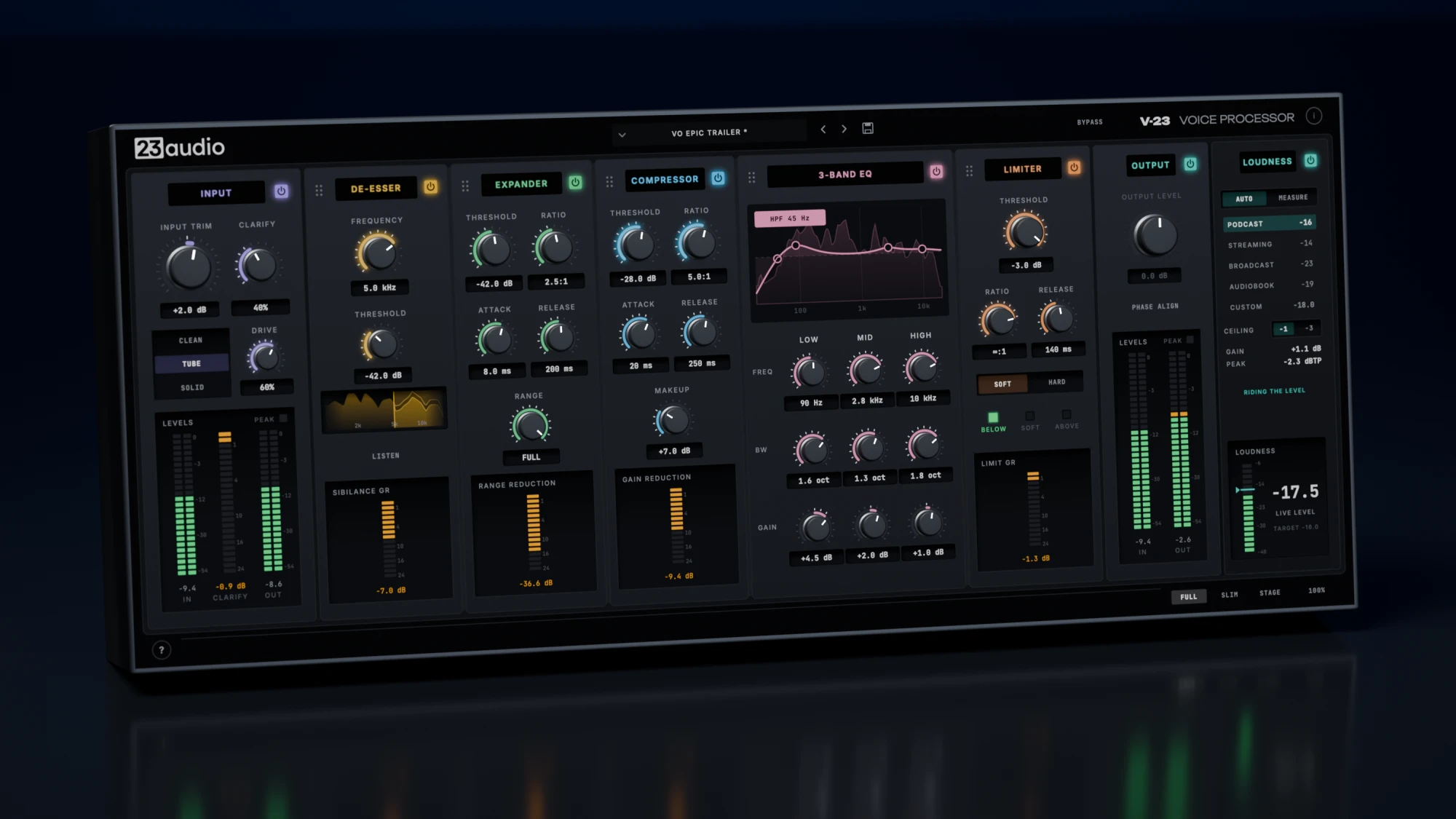
V-23 is a complete processing chain for the spoken voice, in one window: narration, audiobooks, podcasts, voiceover and video. It's modelled on the analog broadcast strips found in voiceover booths and radio studios.

Record through it as you speak, or use it afterwards to finish takes. Pick a preset for the job, drag the middle five stages into the order you want, then adjust by ear.

  • Narrators
  • Audiobook readers
  • Podcasters
  • YouTubers and video creators
  • Voiceover artists
  • Streamers

Hear it in action

Podcast

Jon W · Neumann TLM 103 into a Focusrite Scarlett Solo. Level-matched.

0:00

Audiobook

Jon W · Neumann TLM 103 into a Focusrite Scarlett Solo. Level-matched.

0:00

Key features

Seven stages, one window

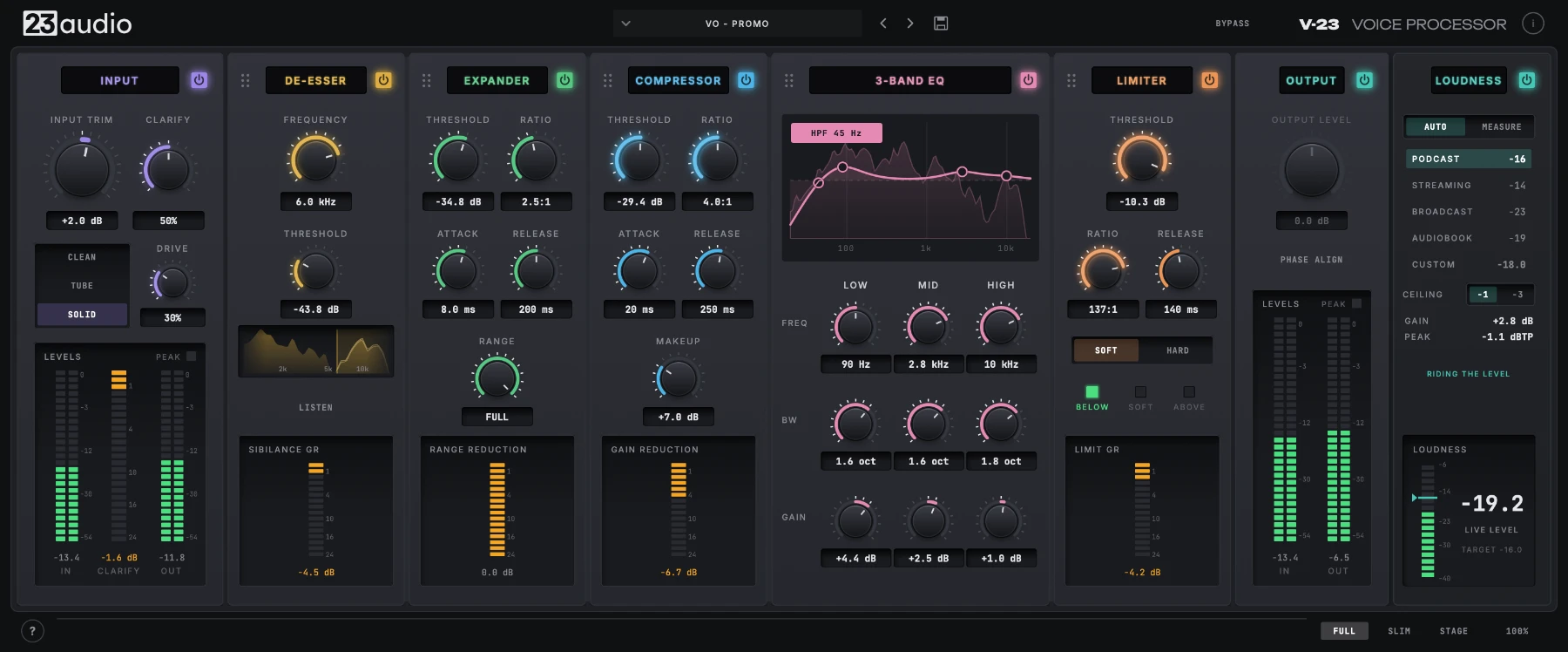
Input colour, de-esser, expander, compressor, 3-band EQ, limiter and output.

Drag to reorder

Put the de-esser, expander, compressor, EQ and limiter in whatever order suits the voice.

CLARIFY

One control for presence and intelligibility, tuned on real voices.

Loudness targets

Brings the voice to podcast, streaming, broadcast or audiobook loudness, with peaks held under the ceiling and an ACX check.

Record through it

It adds less than a millisecond of delay, so you can monitor through it while you record, then keep working on the take afterwards.

Presets for the job

Starting points for podcasts, narration, audiobooks, YouTube and streaming, plus a few for taming boomy or harsh-sounding mics.

Inside V-23

Seven stages, left to right: what each one does, and how you work with them.

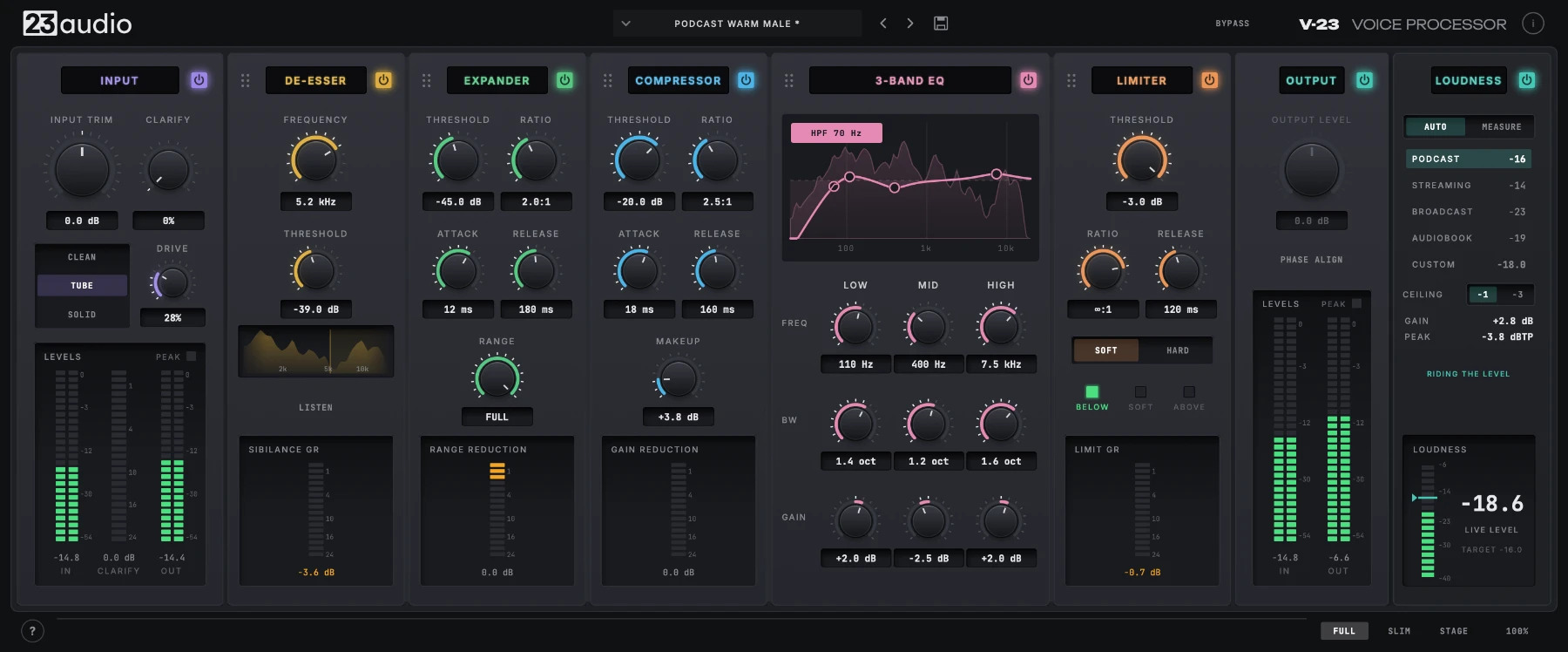
Input and CLARIFY

Set the level coming in, then pick a colour:

  • CLEAN No added colour: the voice passes through untouched. The right choice for most voices.
  • TUBE The warmth of a valve preamp being pushed: soft, even harmonics. DRIVE sets how much.
  • SOLID The edge of a transistor preamp: firmer, odd harmonics for a more forward sound. DRIVE sets how much.

CLARIFY listens for the boxy, muddy build-up a small room or close mic leaves on a voice and turns down only that, only while it's there. On a voice that's already clear, it stays out of the way.

Shown with Stage View open.

De-Esser

Tames sharp S's without dulling the voice. Set the frequency where the sibilance sits, then lower the threshold until the S's sit back.

Expander

Lowers breaths and room tone in the gaps between words, so they don't creep up once the voice is compressed. RANGE sets how far it goes, so it never sounds gated.

Compressor

Keeps the voice at a more consistent level, evening out the louder and quieter moments of a read. The meter shows how hard it's working.

3-Band EQ

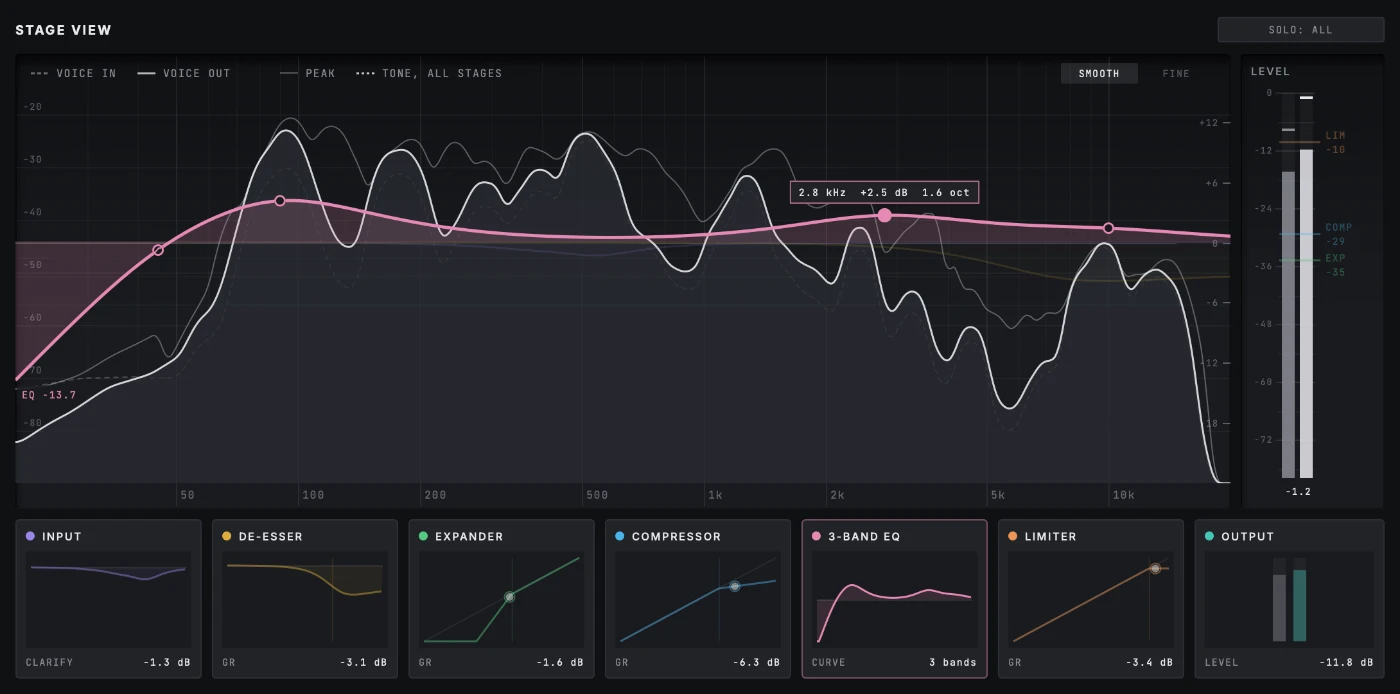
Low, mid and high bands, plus a high-pass filter for rumble. Turn the knobs, or drag the dots straight on the curve, in the strip or in Stage View over the live voice.

Shown with Stage View open.

Limiter

Holds the loudest moments under a ceiling, smoothly, so a raised voice doesn't jump out. A safety catch after it stops sharp peaks going over.

Loudness

Brings the voice to a standard loudness for podcasts, streaming, broadcast or audiobooks. AUTO gently rides the level as you go, which suits streaming or recording a podcast. MEASURE is the accurate way for finished recordings: play a section through and it sets the one fixed gain that puts it on target.

Drag to reorder

The five middle stages go in whatever order you like. Grab one by its handle and drop it in place.

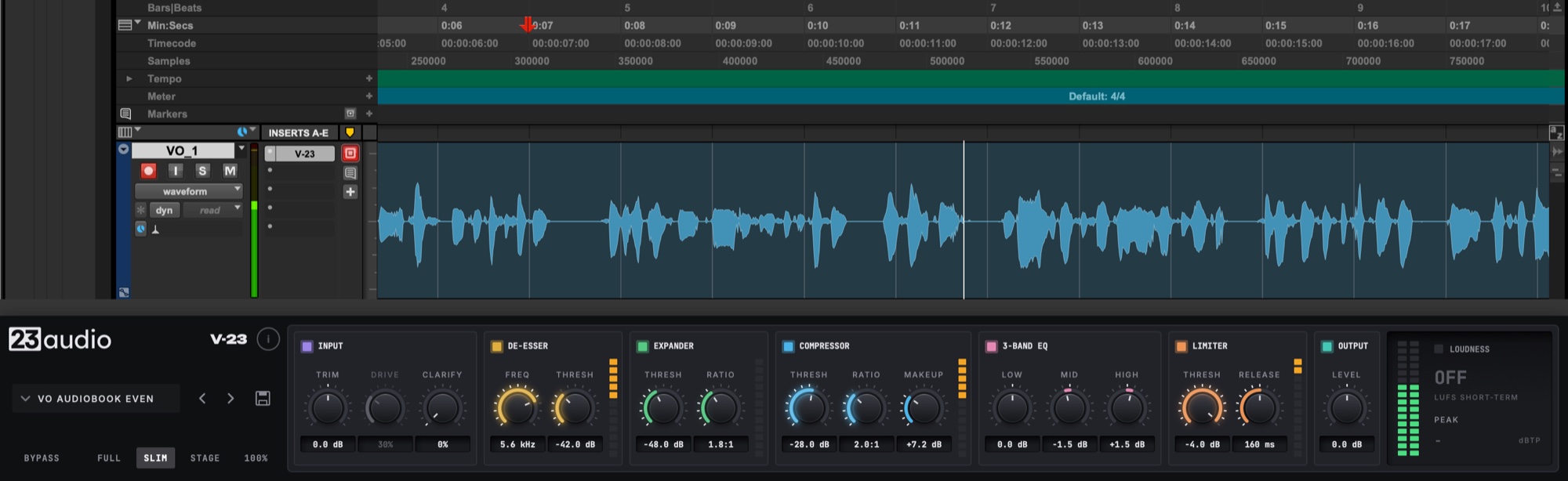
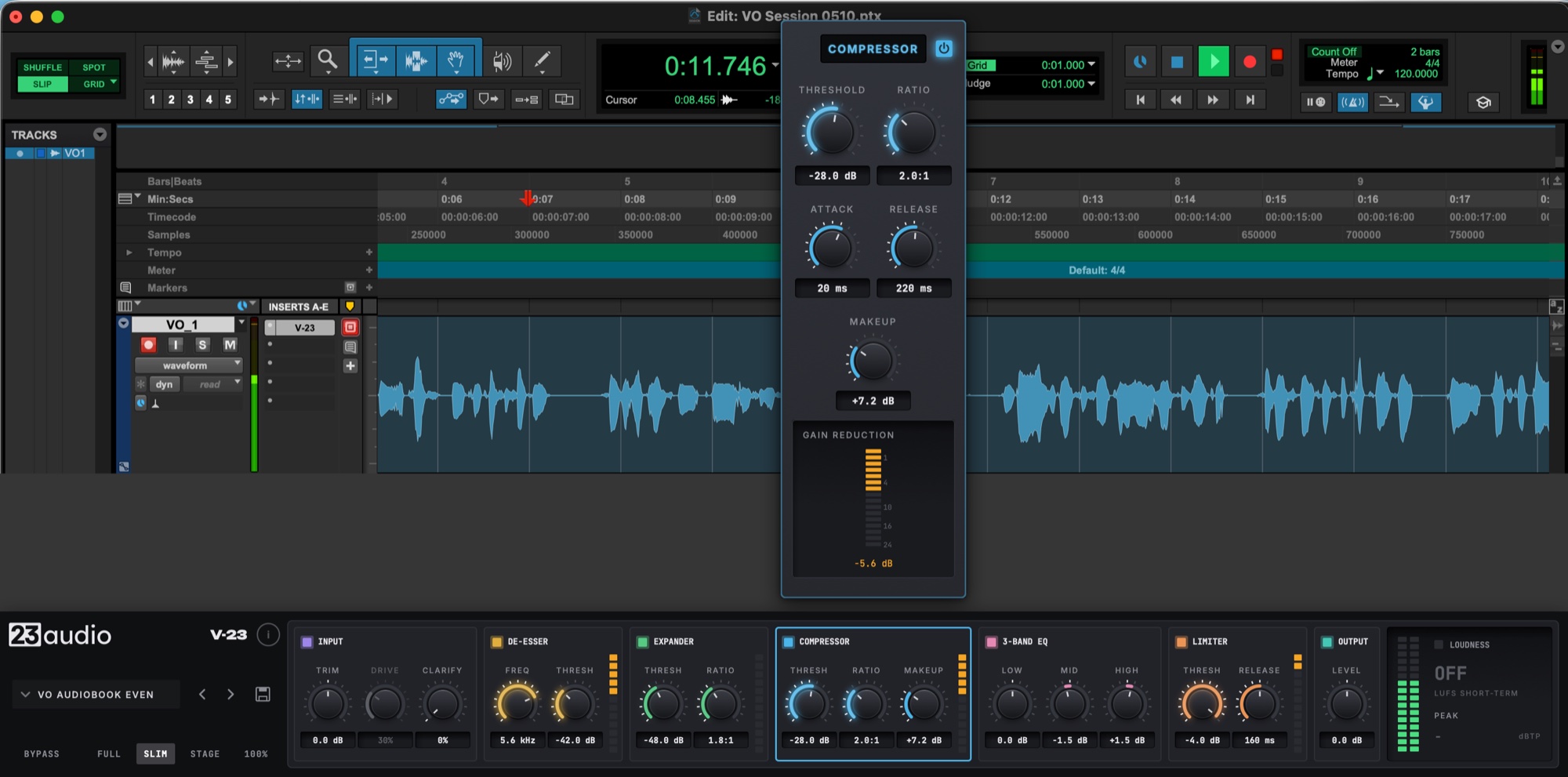
Slim

A short strip that sits under the track you're recording. Every stage keeps working, and one click opens a stage's full controls above it.

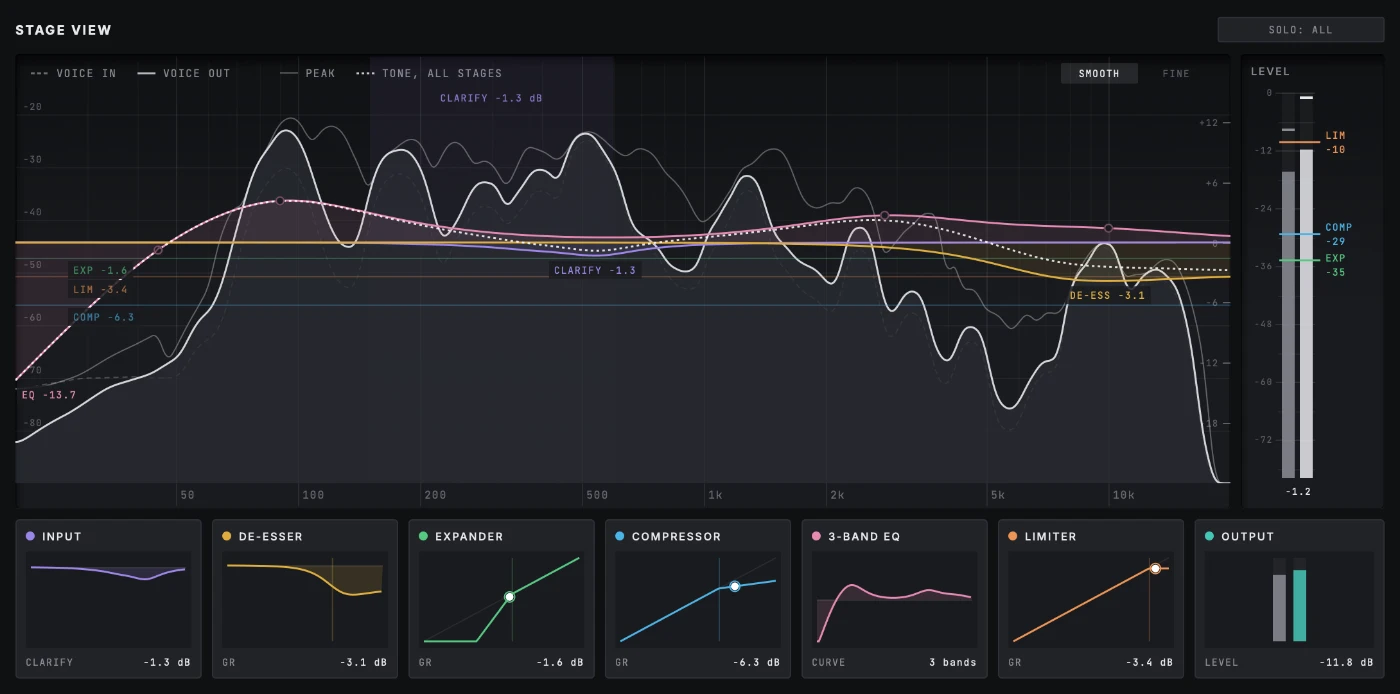
Stage View

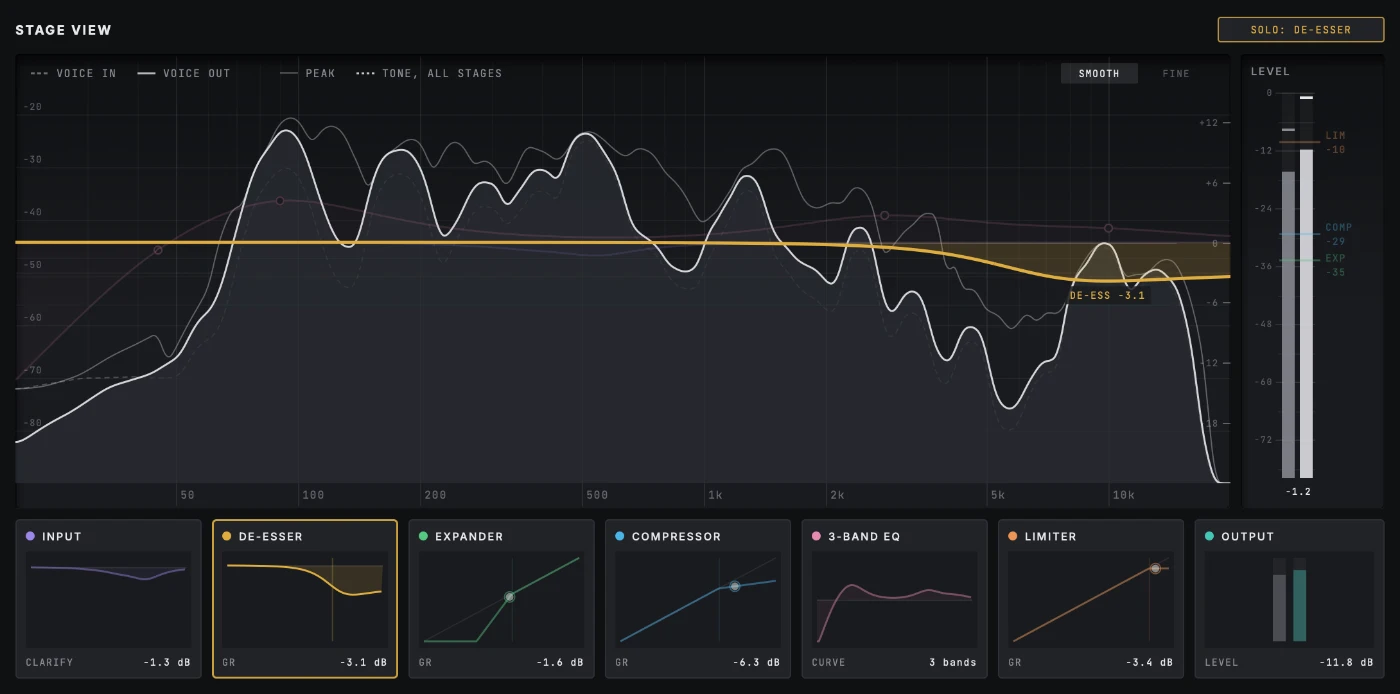
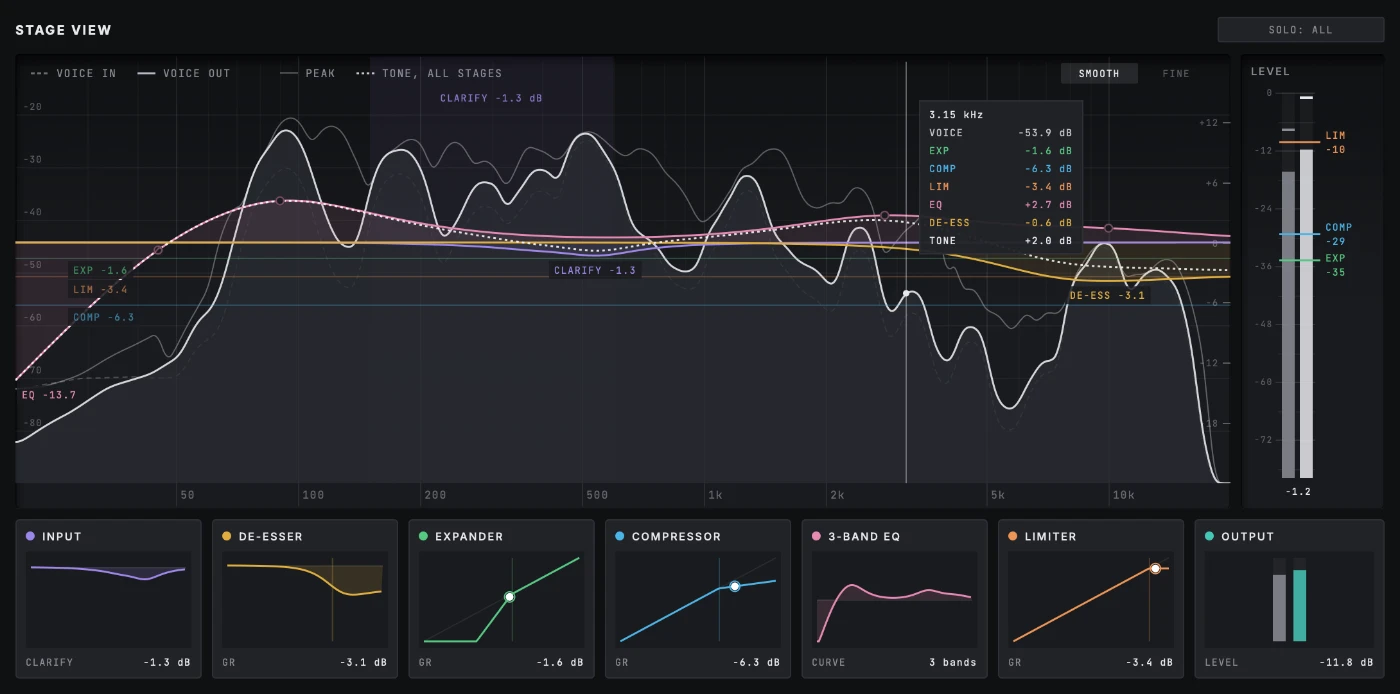
A window of its own that shows what every stage is doing to the voice as you speak: the live spectrum, each stage's curve in its own colour, and a card for each stage. Click a card to see that stage on its own; click it again for the whole picture.

Presets for the job

Starting points for podcasts, narration, audiobooks, voiceover, YouTube and streaming, plus a few for boomy or harsh-sounding mics. Step through them and the whole strip follows.

Three ways to work

Full view: every stage of V-23 in one window

Full

The whole strip at full size: every stage and every control, with meters and loudness, in one window.

Slim in Pro Tools: V-23 as a short strip under the voice track being recorded

Slim

A short, wide strip that sits under the track you're recording, so you can watch the take and the processing together. Every stage stays live, and one click opens all of a stage's controls.

Stage View: the voice's spectrum on a dB scale, with each stage's curve and gain reduction drawn over it in its own colour

Stage View

See what every stage is doing to the voice as it happens: a fine analyser on dB scales, each stage's curve labelled in its own colour, a readout wherever you point, and the EQ's dots to drag right on the graph.

Details

Minimum system requirements
macOS
macOS 11 Big Sur or later. Runs natively on Apple Silicon (M1 and later) and Intel Macs
Windows
Windows 10 or 11, 64-bit
Formats
AU and VST3 on Mac; VST3 on Windows; AAX for Pro Tools on both
Host
A 64-bit DAW that loads AU, VST3 or AAX plugins
Processor
Any Apple Silicon Mac, or an Intel Core i5 / AMD Ryzen 5 or better
Memory
4 GB RAM (8 GB recommended)
Disk space
100 MB
Screen
1280 × 800 or larger

Provisional. Final requirements will be confirmed before release.

Installation & activation

Run the installer for your Mac or PC, open the plugin in your DAW and paste in your licence code. Full step-by-step instructions come with the release. Questions in the meantime? Email support.

Reviews

No reviews yet. Reviews open when V-23 Voice Processor is released, and only people who bought it can leave one.

Need help?

Stuck installing, activating or using V-23 Voice Processor? Email and we'll sort it out.

Contact support

Frequently asked questions

Can I record through V-23 and hear it as I speak?

Yes. V-23 adds 32 samples of delay, about two thirds of a millisecond at 48 kHz, far too little to hear, and it tells your DAW so everything stays lined up. While you record, the delay you notice comes from your audio interface's buffer, so set that low (64 or 128 samples) for tracking and raise it again for mixing.

What DAWs are supported?

Any DAW that loads VST3, AU (Mac) or AAX (Pro Tools) plugins. A list of DAWs we've tested in will go up before launch.

Does it work on Windows?

Yes: Windows 10 or 11, 64-bit, as VST3 and AAX (Pro Tools). Each plugin page lists its minimum system requirements.

Does it work on macOS?

Yes: macOS 11 Big Sur or later, running natively on Apple Silicon and Intel Macs, as AU, VST3 and AAX (Pro Tools). Each plugin page lists its minimum system requirements.

What plugin formats are included?

VST3, AU and AAX, depending on your computer. One licence covers all of them.

How do I install it?

Download the installer for Mac or Windows and run it. You can untick any formats you don't need. Full instructions come with the release.

How does activation work?

After you buy, you get a licence code by email. Open the plugin and paste the code into its licence panel. That's it: no account, no activation server.

Can I use it on more than one computer?

Yes. A licence is for one person, on up to three computers of your own, say a studio machine, a laptop and a spare.

Do I need an internet connection?

Only to download the plugin and get your code. The licence is checked on your computer, so the plugin never needs to go online.

What happens if I replace my computer?

Install the plugin on the new one and paste in the same code. Lost the code? Email licensing@23audio.com and we'll send it again.

How do I get updates?

Updates are free for every plugin you own, for as long as it's updated. Download the new installer and run it; your licence carries on working.

Is there a demo?

Yes. Without a licence, every paid plugin runs as a demo with all its features working. The sound fades out briefly every so often, and there's no time limit.

Beta programme

Help shape what we make next

Get 23audio plugins before release, use them on your own projects, and say what works and what doesn't.

Join the beta

Takes about a minute.