01
Blooms in key
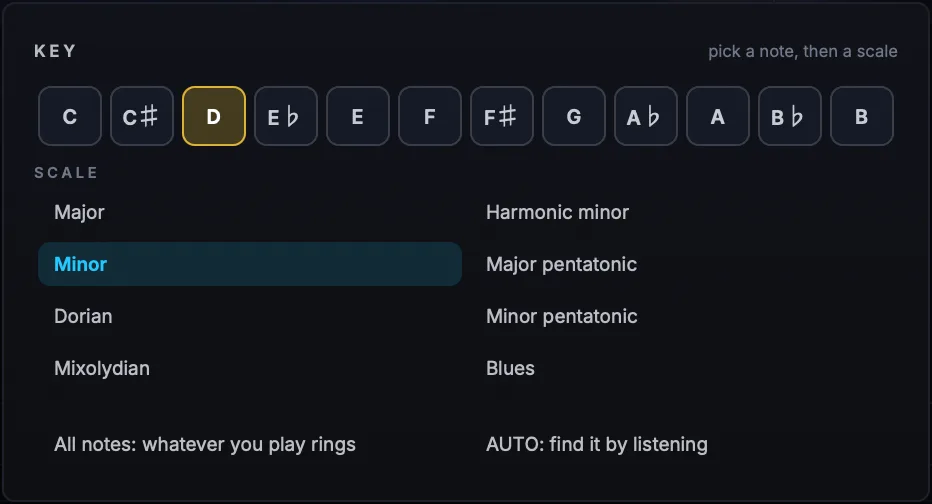
Set your song's key and every note rings on in it. Choose All notes and whatever you play rings, with no key to set.
In-key granular reverb.
14-day refund, no questions. Price includes VAT where it applies. Secure checkout by Paddle: cards and PayPal. Refund Policy
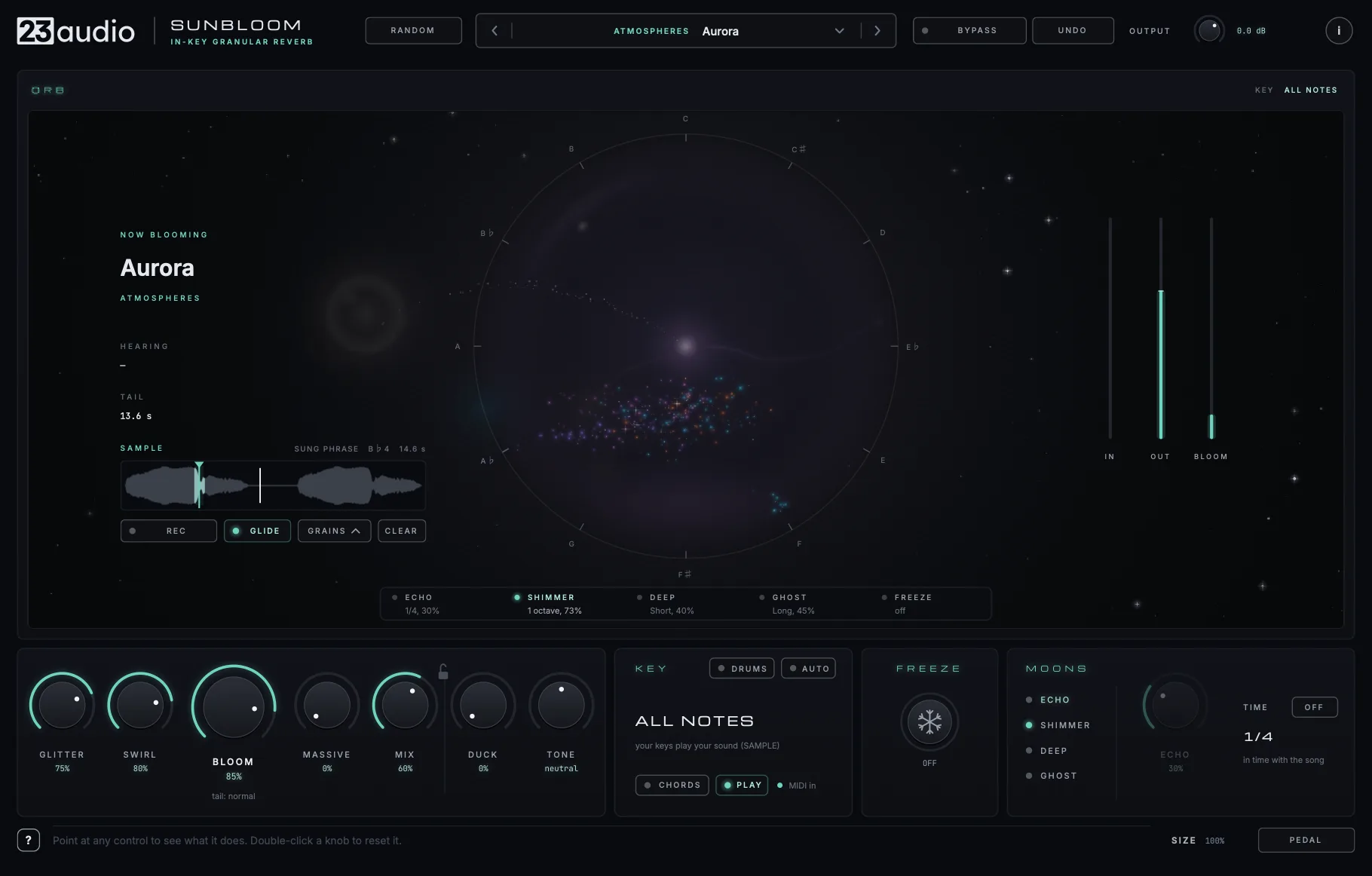
SUNBLOOM is an effect for dreamy atmospheres. Put a sound through it and it opens into a soft, glowing cloud that hangs in the air after you stop playing. A little gives a part some space; a lot turns a single note into a whole ambient scene.
Set the KEY and it stays in your song's key, so even a huge bloom sounds musical, never muddy. It works on anything with notes: voice, guitar, piano, synths, strings.
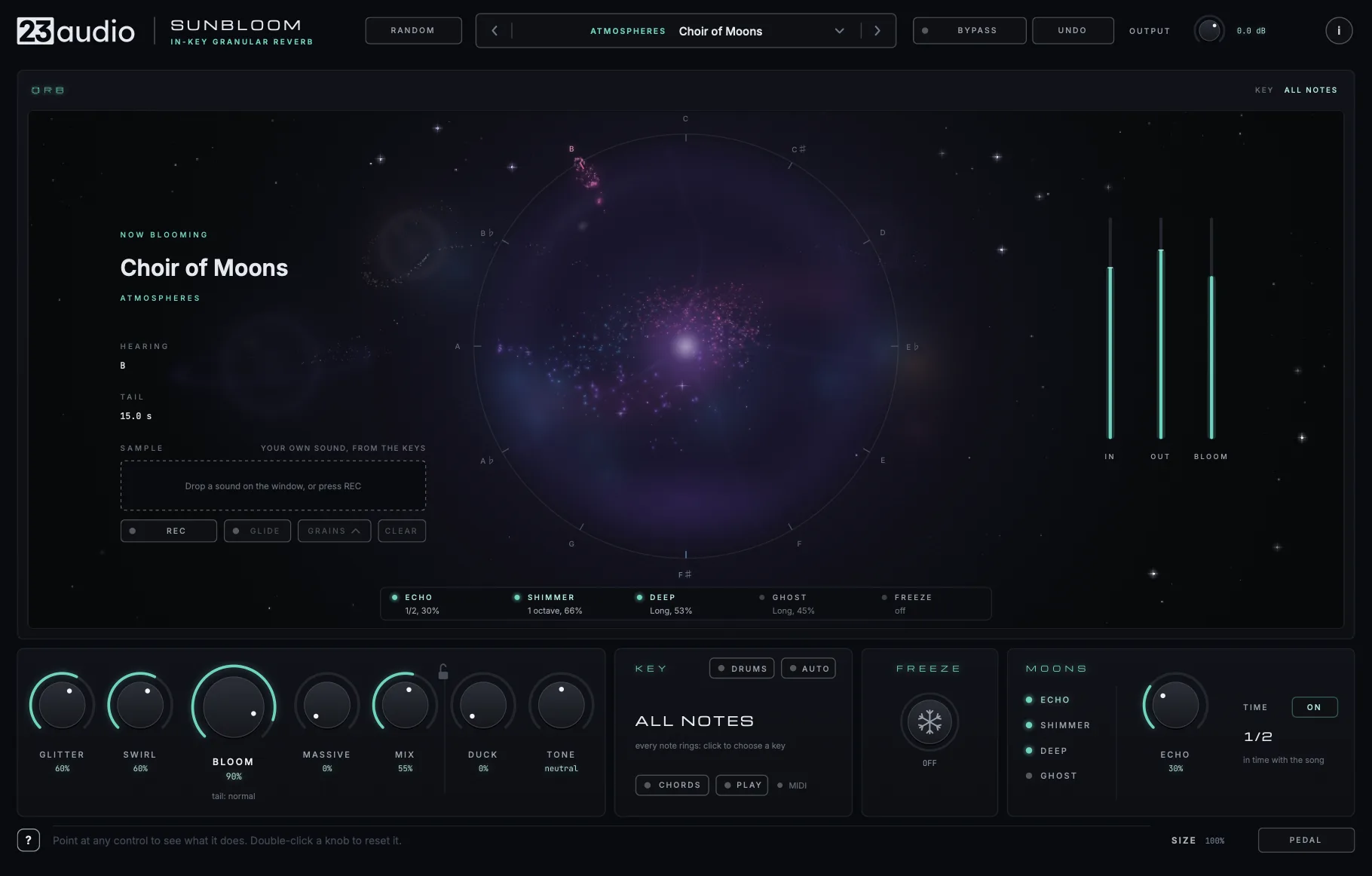
Four moons circle the orb, each adding its own colour:
FREEZE holds whatever is in the orb as an endless pad. And drop in a sound of your own, or record one, and you can play it from a MIDI keyboard while the orb blooms on top. On drums and sound effects it turns into a sound-design tool.
Drop in any sound and play it from your MIDI keyboard, or let one hit ring on and on.
One held cello note, then SUNBLOOM playing it as slow chords: read backwards and speeding up, half the grains reversed.
A band take first, then a lead on its own. When a clip starts with SUNBLOOM bypassed, the window is dimmed until it switches on.
A three-piece take: drums, bass and a lead guitar through SUNBLOOM on Cathedral Solo, its notes hanging and climbing behind the solo.
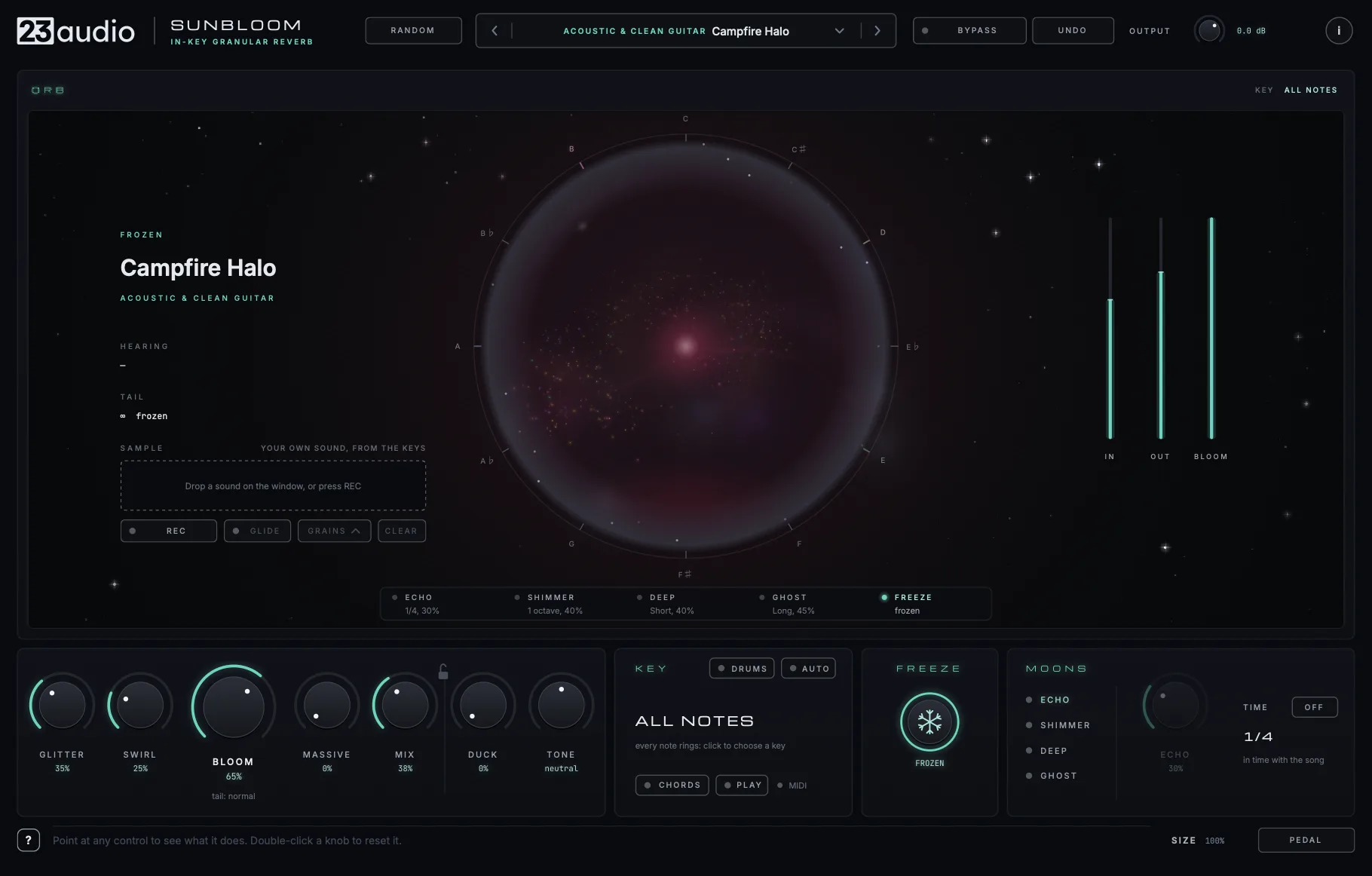
FREEZE holds whatever is in the orb as an endless pad. Play over it, or switch on PLAY and play the frozen sound from a MIDI keyboard.
Acoustic guitar through Campfire Halo. FREEZE holds one chord, the guitar fades away, and the frozen pad rings on by itself.
Bypassed, then SUNBLOOM switched on, its tail left to ring. On hits, voices and noise it turns into a sound-design tool.
Titan Impact: one boom opened up into a huge, glowing swell.
Set your song's key and every note rings on in it. Choose All notes and whatever you play rings, with no key to set.
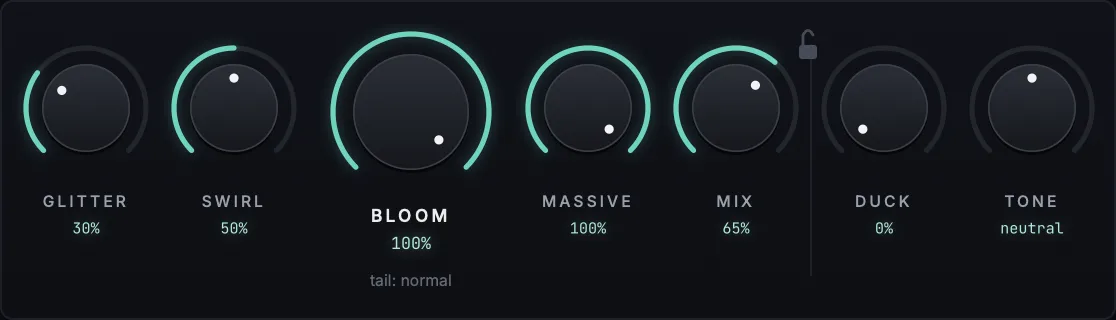
Three big controls for the sparkle, the movement and the size of the tail, up to 18 seconds. MASSIVE makes it all wider, deeper and heavier.
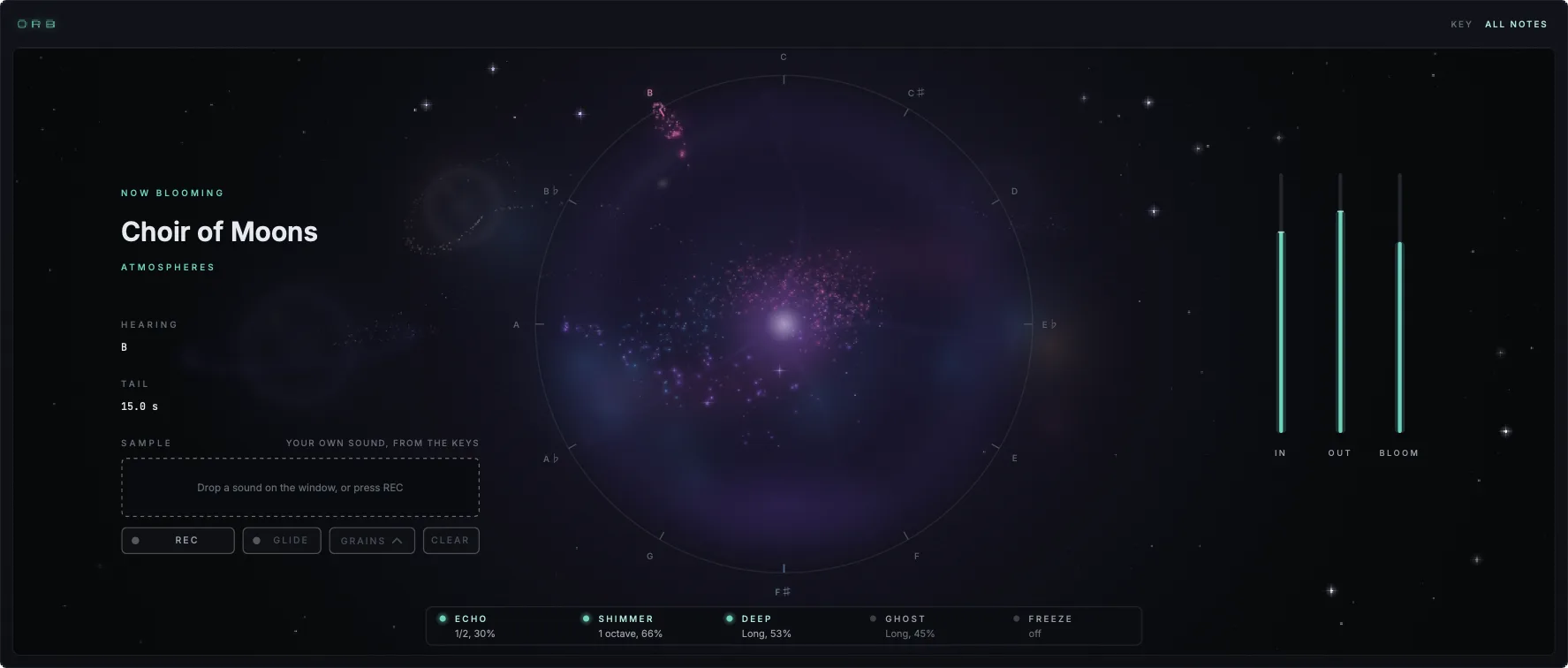
ECHO, SHIMMER, DEEP and GHOST each add a sound of their own. Click a moon to pick it, drag it to set how much goes to it.

FREEZE holds whatever is in the orb as an endless pad. Turn PLAY on and that pad plays from your MIDI keyboard.
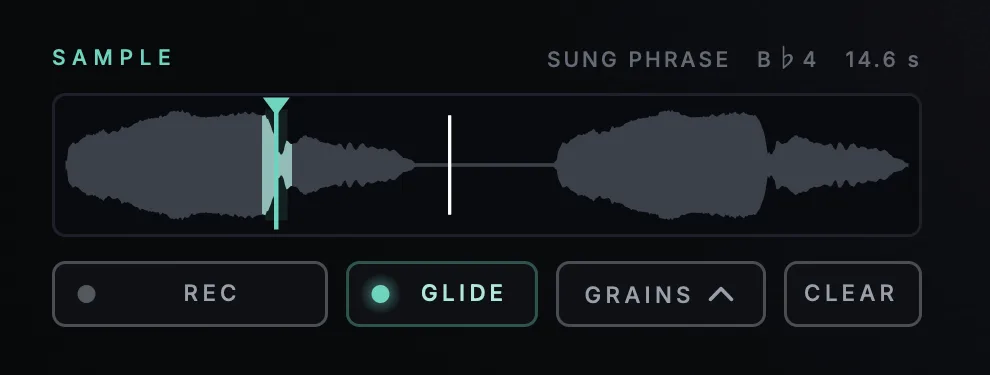
Drop in any sound file, or press REC to record what's coming in, then play it from your MIDI keyboard, in tune, up to eight notes at once. Drag the marker to choose which part plays; GLIDE plays on through it.
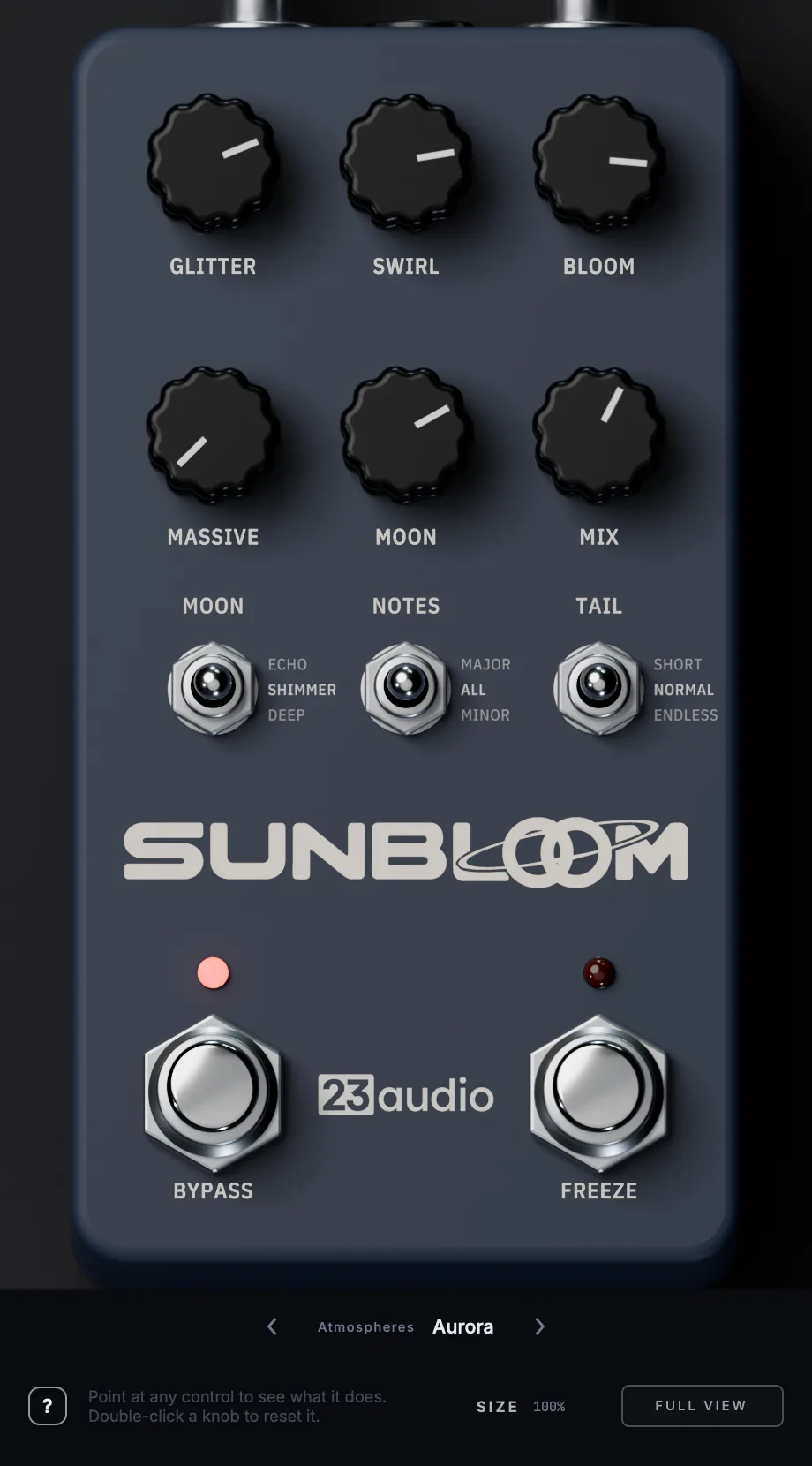
SUNBLOOM has a twin: a real guitar pedal. The plugin comes with that pedal's view as standard: six knobs, three switches and two footswitches, with the presets underneath. Same sound, fewer controls, for when you just want to play.
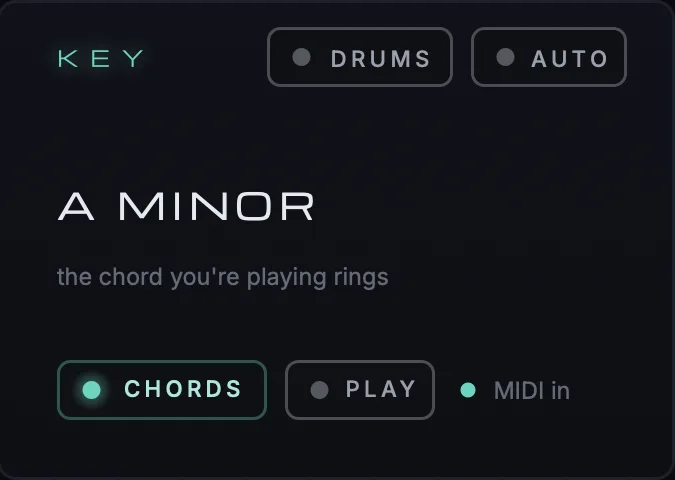
With CHORDS on, the orb rings only the notes of the chord you play on MIDI, changing as the chords change.
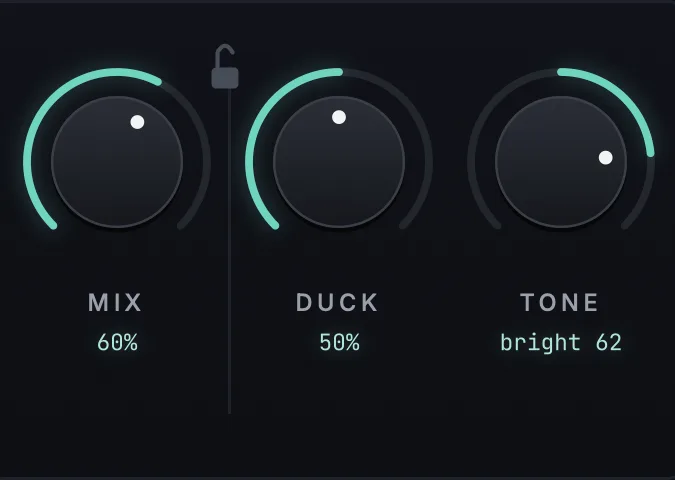
DUCK dips the orb and moons while you play and lets them swell back in the gaps. TONE makes the bloom darker or brighter.

Run the installer for your Mac or PC, open the plugin in your DAW and paste in your licence code. Step-by-step instructions are in the guide that comes with the download. Any questions? Email support.
No reviews yet. Own SUNBLOOM? Be the first to review it.
Stuck installing, activating or using SUNBLOOM? Email and we'll sort it out.
Anything with notes: vocals, acoustic and electric guitar, piano, synths, strings, a whole mix on a send. On drums and speech it's a sound-design tool: switch DRUMS on to let hits ring the orb.
No. On All notes, every note you play rings. Set your song's key and the orb keeps every grain in it, so a big tail never clashes. AUTO can also find the key by listening.
No, unless you switch the GHOST moon on: to swell up before each word it has to hear it coming, so it plays one second late, and your DAW lines it back up. Leave GHOST off to play or sing live through it.
Drop a sound file on SUNBLOOM's window, or press REC to record what's coming in, and send it MIDI. In Logic, put SUNBLOOM in a Software Instrument track's slot and pick your audio track (or an input) in Side Chain. With no sound in, the keys play the frozen orb instead.
Any DAW that loads VST3, AU (Mac) or AAX (Pro Tools) plugins: Logic Pro, Pro Tools, Ableton Live, Cubase, Reaper, Studio One, FL Studio, GarageBand and others. If it loads those formats, it works.
Yes: Windows 10 or 11, 64-bit, as VST3 and AAX (Pro Tools). Each plugin page lists its minimum system requirements.
Yes: macOS 11 Big Sur or later, running natively on Apple Silicon and Intel Macs, as AU, VST3 and AAX (Pro Tools). Each plugin page lists its minimum system requirements.
VST3, AU and AAX, depending on your computer. One licence covers all of them.
Download the installer for Mac or Windows and run it. You can untick any formats you don't need. Full instructions come with the release.
After you buy, you get a licence code by email. Open the plugin and paste the code into its licence panel. That's it: no account, no activation server.
Yes. A licence is for one person, on up to three computers of your own, say a studio machine, a laptop and a spare.
Only to download the plugin and get your code. The licence is checked on your computer, so the plugin never needs to go online.
Install the plugin on the new one and paste in the same code. Lost the code? Email licensing@23audio.com and we'll send it again.
Updates are free for every plugin you own, for as long as it's updated. Download the new installer and run it; your licence carries on working.